Real-time Data Processing for Game Analytics
How I built a real-time data processing pipeline to analyze game metrics, track player behavior, and monitor CCU using Node.js streams and Redis.
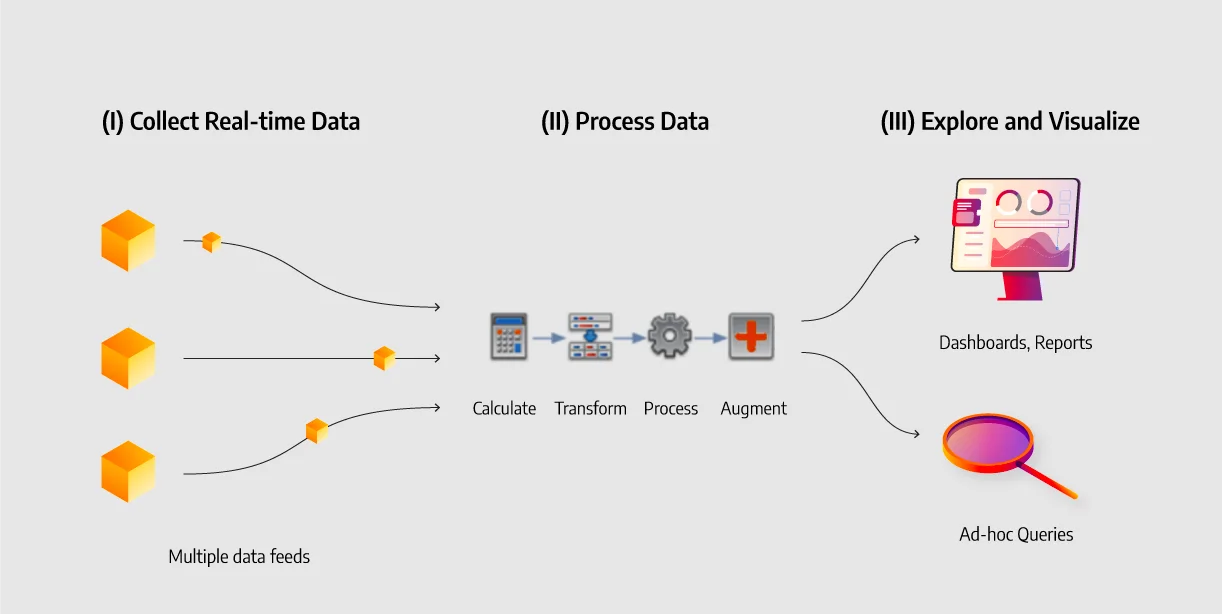
The Challenge
At Sohagame, we needed to process millions of game events in real-time to track revenue, player behavior, and concurrent users (CCU) across multiple game titles.
Architecture Overview
Game Servers → Kafka → Node.js Workers → Redis (real-time)
                                       → MySQL (historical)
                                       → Dashboard (WebSocket)
1. Event Ingestion
We use Kafka to handle the high throughput of game events:
const consumer = kafka.consumer({ groupId: 'analytics' });

await consumer.subscribe({ topic: 'game-events' });

await consumer.run({
  eachMessage: async ({ message }) => {
    const event = JSON.parse(message.value);
    await processEvent(event);
  },
});
2. Real-time Aggregation with Redis
Redis is perfect for real-time counters and time-series data:
// Track CCU per game
await redis.pfadd(`ccu:${gameId}:${minute}`, playerId);
const ccu = await redis.pfcount(`ccu:${gameId}:${minute}`);

// Revenue tracking
await redis.incrby(`revenue:${gameId}:${date}`, amount);
3. Dashboard with WebSocket
Live dashboards update every second:
setInterval(async () => {
  const metrics = await getRealtimeMetrics();
  io.to('dashboard').emit('metrics', metrics);
}, 1000);
Results
- Processing: 50,000+ events/second
- Latency: < 100ms from event to dashboard
- CCU tracking: Real-time across 20+ game titles
- Revenue: Accurate to the second
Lessons Learned
- Redis HyperLogLog is amazing for unique count estimates
- Batch writes to MySQL for historical data
- Use WebSocket compression for dashboard updates
- Monitor your pipeline - set up alerts for lag